
List the repeat tasks the app would support and why a mobile website cannot meet them adequately.
Require a clear reason for the app
List the repeat tasks the app would support and why a mobile website cannot meet them adequately. Consider installation friction, sign-in, permissions and ongoing support. A small prototype can test whether users understand the benefit before the business commits to a broad feature set. Budget for maintenance after release and define success through useful completed tasks, not downloads alone.
Overview
In today’s digital landscape, having a strong mobile presence is crucial for businesses looking to stay competitive and engage with their customers effectively. One powerful tool in your arsenal should be a well-designed, feature-rich mobile application. Here are the top reasons why your business needs a mobile app:
Increased Customer Engagement and Loyalty
A mobile app provides a direct channel to connect with your customers, allowing you to send push notifications about promotions, updates, and special offers. This consistent interaction helps build brand loyalty and keeps your business top-of-mind. In-app features like loyalty programs and exclusive content further incentivize customers to engage with your app regularly. If you’re looking for expert Mobile Application Development Toronto services to create a high-performing app for your business, consider partnering with a reputable development agency in the Brampton area.
Improved Customer Experience
A mobile app offers a personalized, convenient experience tailored to your customers’ needs. By streamlining common tasks like placing orders, making appointments, or accessing account information, you can save them time and frustration. Intuitive navigation and a clean, modern design make your app a pleasure to use.
Competitive Advantage
In many industries, having a mobile app is quickly becoming the norm. By investing in app development now, you can get ahead of your competitors and position your business as innovative and tech-savvy. A well-executed app demonstrates your commitment to providing the best possible experience for your customers.
Valuable Customer Insights
Your mobile app can be a goldmine of data about your customers’ preferences, behaviors, and pain points. By analyzing in-app analytics, you can gain valuable insights to inform your marketing strategies, product development, and overall business decisions. This data-driven approach helps you stay agile and responsive to your customers’ evolving needs.
Increased Revenue Opportunities
A mobile app opens up new revenue streams for your business, such as in-app purchases, subscriptions, or targeted advertising. By offering exclusive products, services, or content through your app, you can drive additional sales and boost your bottom line. The convenience and personalization of a mobile app can also lead to higher customer lifetime value.
In conclusion, investing in a mobile app is a smart move for businesses looking to stay competitive, engage with customers, and drive growth. By prioritizing user experience, leveraging customer data, and exploring new revenue opportunities, you can create an app that delivers value to both your customers and your business.
Decide whether an app adds value beyond the website
Describe the task that would make a customer return to an app. Repeated account activity, useful device capabilities or a frequent service workflow can justify a dedicated product. A business whose customers only need opening hours and occasional contact may be better served by a strong mobile website. Requiring installation adds friction, so the app needs a clear reason to exist beyond displaying the same promotional pages.
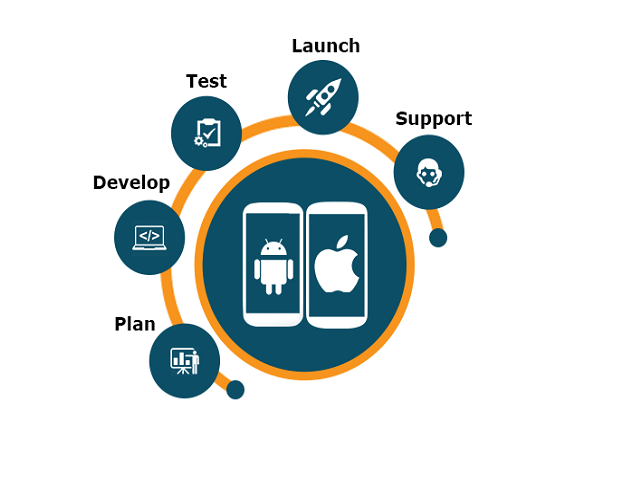
Map the first useful journey before expanding the feature list. Consider sign-in, connection loss, permission requests, accessibility and how the user gets help. Explain why a device permission is needed at the moment it becomes relevant. Avoid collecting information simply because the platform makes it possible. Plan the server interfaces and administrative tools that the app depends on as part of the same project.
Budget for maintenance, platform changes, monitoring and customer support after the first release. Test with realistic devices and network conditions, including interruption and return to the app. Measure completed tasks and continued usefulness rather than download counts alone. A focused product with a reliable core journey often creates more value than a broad feature list that the team cannot maintain.
Turn the business goal into a clear website brief
Start by naming the action a useful visitor should complete. A service company might need an accurate quotation request, while a training provider needs people to find the correct course and understand its prerequisites. These are different journeys even if both organizations ask for a modern website. Write down the audience, the questions that delay their decision and the information the team needs to respond. This short brief is more useful than choosing a visual style before the problem is understood.
Build the sitemap around those decisions. Separate services when they have different buyers, deliverables or buying questions. Keep closely related information together when splitting it would force readers to jump between thin pages. Agree who supplies photography, approves copy and owns each integration. A project schedule should include these dependencies, because a finished layout cannot compensate for missing product information or an unanswered policy question.
A practical acceptance checklist makes the brief testable. Ask whether a first-time mobile visitor can identify the service, confirm that it is relevant, find supporting evidence and complete the next step. Check the enquiry from submission through to the person responsible for replying. Record anything that requires training or ongoing maintenance before approving launch.
Reduce operational risk with recoverable changes
Security work should begin with the systems and information the business depends on. Keep an inventory of websites, domains, hosting accounts, integrations and the people who own them. Remove unnecessary access, use strong authentication where supported and keep essential software maintained. A tool labelled secure cannot compensate for abandoned administrator accounts or an undocumented dependency.
Backups need a recovery plan. Decide what is included, where copies are stored and how often the data changes. Test restoration into an isolated environment and confirm that the recovered site includes both files and database content. Record the steps and the people who can carry them out. A backup job that reports success is useful evidence, but a successful restore is stronger evidence of recoverability.
For changes, keep a rollback path and avoid altering unrelated settings during an incident. Record the symptoms, recent deployments and relevant logs before attempting a repair. Restrict access to secrets and personal data during investigation. After service is restored, identify the cause and improve the process that allowed it. Clear ownership and tested recovery often matter more to a small business than an impressive list of tools with nobody assigned to operate them.
Measure outcomes with enough context to make a decision
Define the question before choosing the dashboard. A lead-generation site needs to distinguish qualified enquiries from spam, job applications and duplicate contacts. A shop needs to separate completed orders from abandoned checkouts and refunded purchases. Agree on these definitions with the people who process the results. Otherwise different teams can report apparently conflicting numbers while using different meanings of success.
Document important events, their triggers and where the data goes. Check that one completed action creates one event, including when a visitor reloads a confirmation page or returns from a payment provider. Keep personal information out of analytics events and URLs. Review mobile and desktop journeys separately when their behaviour differs, and label internal tests so they do not inflate results.
Use trends and business context rather than reacting to every short-term movement. A seasonal offer, a change in advertising spend or a broken form can all change conversion numbers. Note these events alongside the report. When testing an improvement, decide in advance what would justify keeping it and allow enough relevant activity to form a useful view. If traffic is limited, direct customer feedback and usability observations may explain the problem faster than an elaborate experiment.
For guidance tailored to your business, explore our Mobile Application Development or request an audit.
Want advice specific to your website?
We can review the current experience, search visibility and conversion path, then prioritize improvements by likely impact.
Request a website audit